
Quick Image Convert
Click or drag & drop an image here
Supported formats: JPG, PNG, WebP
Quick Image Convert Online
Hello! I’m genuinely excited today because I get to introduce you to something I’ve poured a lot of effort into creating: Quick Image Convert Online.
Think about it – how many times have you been stuck needing to convert images? Maybe you had a folder full of HEIC photos from your phone that needed to become JPEGs, or you needed to resize a new image for a blog post, or perhaps turn a PNG into a specific output format for a project. I know I’ve faced these hurdles countless times. Downloading bulky software, figuring out complex interfaces, sometimes even paying for a simple conversion – it felt like there had to be a better way.
That’s exactly why I built Quick Image Convert Online. My goal was simple: create a fast, reliable, completely free online converter that anyone could use without hassle. It’s one of those Web Apps designed to solve a common problem efficiently, right from your web browser.
So, What Exactly is Quick Image Convert?
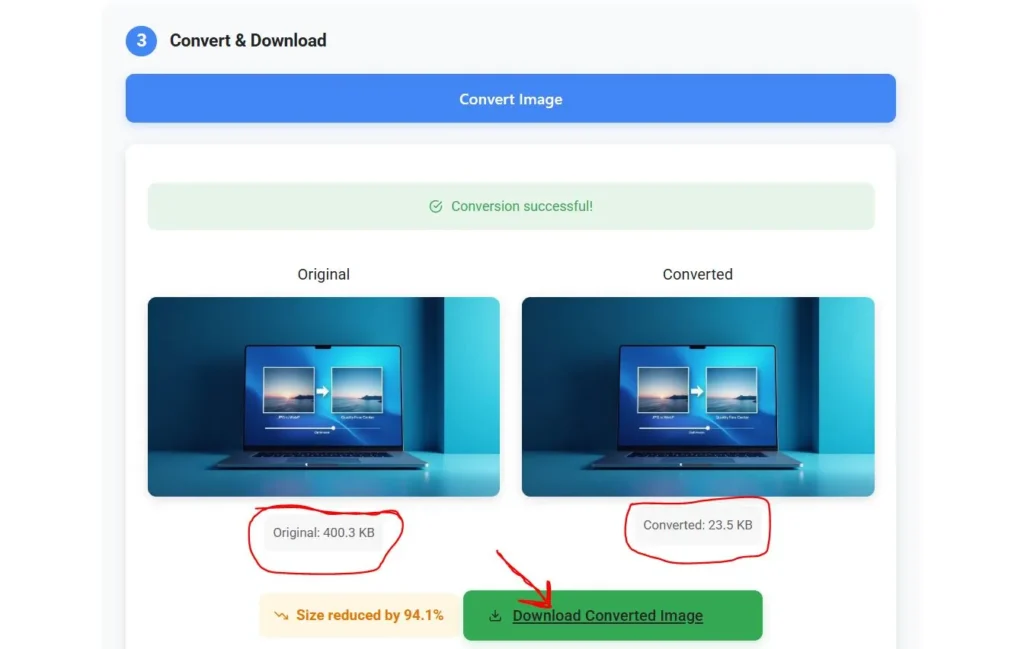
In essence, Quick Image Convert is your dedicated Free Image Converter hosted entirely online. It’s a powerful conversion tool I designed with you in mind. You don’t need to install anything. Just visit the website, and you can start transforming your image files immediately.
I focused heavily on the user experience. The interface is clean and intuitive. Whether you’re tech-savvy or just need a quick fix, you should feel comfortable using it. The entire conversion process is designed to be straightforward, getting you from your original file to your desired converted files with minimal fuss.
Why I Knew This Tool Was Needed
The digital world runs on images, but not all images are created equal, format-wise. Different platforms, different requirements. You might need a JPG converter for web uploads, a PNG Converter for graphics with transparency, or maybe even deal with less common types like TIFF Converter needs or vector SVG Converter tasks. Sometimes you even stumble upon PDF files containing images you need to extract or convert.
I saw a need for a single, reliable place to handle these diverse needs without barriers. A tool that respects image quality, offers flexibility, and doesn’t cost a penny. That’s the gap Quick Image Convert Online aims to fill.
Let’s Talk Features: What Can My Tool Do For You?
I wanted this tool to be more than just basic. I packed it with features based on what I know users actually need:
Unmatched Format Flexibility: Your Files, Your Choice!
This was crucial. Quick Image Convert supports a vast range of Supported Formats. Seriously, I tried to cover as many bases as possible:
- Popular Formats: Effortlessly convert between JPEG, PNG, GIF, BMP, etc. Yes, it’s a robust JPG PNG tool! We handle the Joint Photographic Experts Group standard and Portable Network Graphic files with ease.
- Modern Formats: Stay current with support for the efficient Webp format and even an AVIF Converter.
- Professional Needs: Got RAW formats from your camera? We’re working on supporting many types.
- Specific Converters: Dedicated functions like the TIFF Converter and SVG Converter are included.
- Beyond Images: While not a full Edit PDF suite, it can help with images within PDF files.
My goal is for you to always get the desired format you need from our extensive list of different formats.
The Easiest Conversion Process You’ll Find
I hate complicated steps, so I made the workflow incredibly simple:
- Upload Your Way: Use the “Choose Files” button to browse your computer, or simply drop files directly onto the designated area on the site. Super easy!
- Cloud Integration: Need to grab a file from Google Drive? I’ve added connectivity for that too.
- Select Your Output: Pick the format you want your converted images in.
- Adjust Settings (Optional): Fine-tune conversion options if needed. You might want to adjust Image Size or compression levels.
- Go!: Hit the “Start Conversion” button. Often, it just takes a single click!
Within moments, you’ll have your files ready to Download Images. It’s designed for Fast Conversions!
Quality Matters: Preserving Your Visuals
What good is a converter if it ruins your pictures? I’ve prioritized maintaining image quality.
- High-Quality Output: The default settings aim for excellent results, preserving detail to ensure high-quality conversions.
- Best Quality Options: Look for settings that let you prioritize the absolute best quality if file size is less of a concern. Your high-quality images will look great.
More Than Just Basic Conversion
I wanted to add extra value:
- Batch Processing: This is a huge time-saver! Instead of converting only a single image at a time, upload multiple files and convert them all at once. Perfect for photographers or anyone managing large sets of images.
- Basic Edits: Sometimes you need a quick crop or rotation. I’ve included a simple photo editor for those minor tweaks.
- Future Forward: I’m constantly looking at integrating useful AI Tools, maybe even an AI Image Generator feature down the line, to make the tool even smarter.
Accessible Anywhere, Anytime
Because Quick Image Convert is a cloud-based solution, you can access it from virtually anywhere:
- Any Operating System: Windows, macOS, Linux – if it has a modern web browser, you’re good to go.
- On the Go: Use it on your desktop, laptop, tablet, or mobile device. I’m working hard on making the experience seamless everywhere, potentially even with a dedicated mobile app in the future.
No downloads, no installations, just pure online convenience. It’s your go-to online image converter tool.
Who is Quick Image Convert For?
Honestly? Pretty much everyone!
- Students: Quickly convert images for presentations and projects.
- Bloggers & Content Creators: Prepare images in the right format and size for web use (like a YouTube Thumbnail or Instagram Story image).
- Photographers: Handle batch conversions of JPG files or even RAW formats. Convert free photo downloads to the format you need.
- Small Business Owners: Ensure product images or marketing materials are in the correct format.
- Anyone needing a quick fix: Changed your mind about a format? Need to make a file compatible? It takes seconds.
It’s the perfect image file converter for everyday tasks and even some more complex ones.
Why Choose My Tool? The Quick Image Convert Advantage
So, with other options out there, why did I build this, and why should you use it?
- It’s Truly Free: No hidden costs, no premium-only features for core conversions.
- It’s Fast: I optimized for speed – hence the “Quick” in Quick Image Convert! Get your Fast Conversions done efficiently.
- It’s Comprehensive: The range of Supported Formats is extensive.
- It’s User-Focused: From the easy interface to features like Batch processing and quality controls, I built it with real user needs at the forefront.
- It’s Accessible: Use it anywhere, anytime, on almost any device.
Give Quick Image Convert a Try Today!
I truly believe Quick Image Convert can simplify how you handle image files. It’s the culmination of wanting a better, easier way to convert images and deciding to build it myself.
Please, head over to the site and give it a go. Drag and drop files, Choose Files from your folders, select your output format, and hit that “Start Conversion” button. See how easy it is to get high-quality images in the format you need.
I’m always looking to improve it, so feel free to reach out with feedback. But for now, I hope Quick Image Convert becomes your trusted Image Converter Online! Enjoy the simplicity and speed,