✨ JPG to PDF Converter
Convert JPG to PDF: Free Online Solution
Sharing images is common, but sometimes you need a more standardized format. Whether it’s for sending documents, archiving photos, or ensuring compatibility, converting your JPG images to PDF is often the best way forward. If you’re looking for a simple, fast, and reliable way to Convert JPG to PDF, you’ve come to the right place! This guide explores why you might need this conversion and how an easy-to-use online tool can help.
Why Turn Your JPG Images into PDF Files?
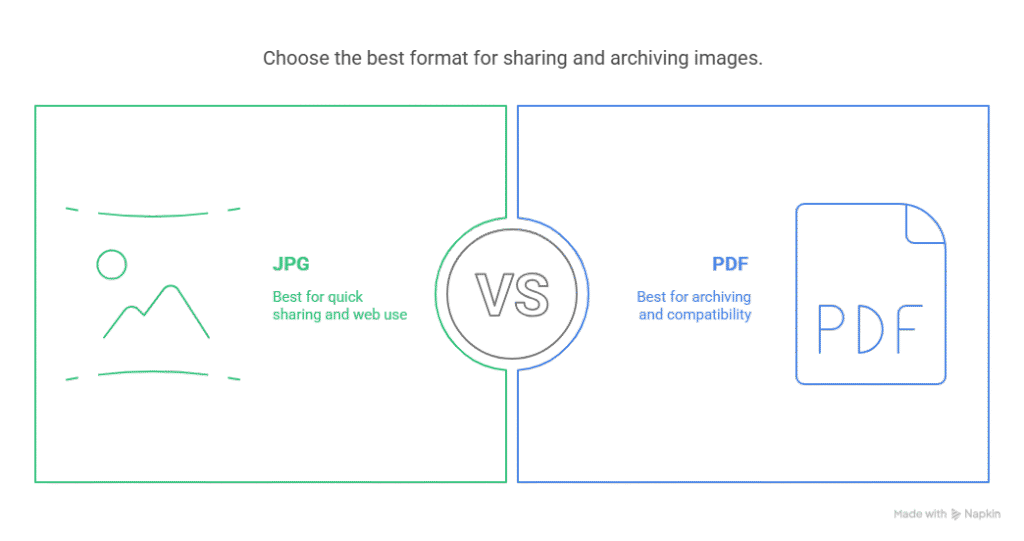
JPG is great for photos, but PDF (Portable Document Format) offers unique advantages, especially when dealing with documents or multiple images:
- Universal Compatibility: PDFs look the same on almost any operating system or device, ensuring your layout and quality are preserved.
- Combining Multiple Images: Easily merge several JPG files into a single PDF file, perfect for portfolios, reports, or photo albums. Unlike trying to paste images into a Word Document, PDF keeps things neat.
- Controlling File Size: While JPGs can be small, PDFs offer excellent compression options, helping you manage file size without drastically losing quality. This is crucial for emailing or uploading.
- Professional Standard: PDFs are the standard for official documents, making them ideal for business communication or submissions.
Introducing a Simple and Free Online Converter
Forget complex software like Adobe Acrobat or worrying about a free trial ending. There are excellent free tools available online that make file conversion a breeze. A good online JPG converter should be intuitive, quick, and secure.
This particular online service is designed to provide the best experience for users needing to convert images. Accessed directly through your web browser, there’s no need to install any desktop applicati.
How to Convert Your JPG Files: Step-by-Step.
Converting your images is incredibly straightforward:
- Upload: Simply drag and drop files onto the converter window, or click the button to UPLOAD FILES from your device. You can often select multiple JPGs at once if you want to combine them.
- Convert: The tool automatically starts the JPG conversion process. Depending on the number and size of files, this usually takes just a few moments. You’ll need a stable Internet connecti for this online process.
- Download: Once finished, download your new free PDF file! Your converted files are ready to be saved or shared.
Key Features and Benefits
What makes a good online converter stand out?
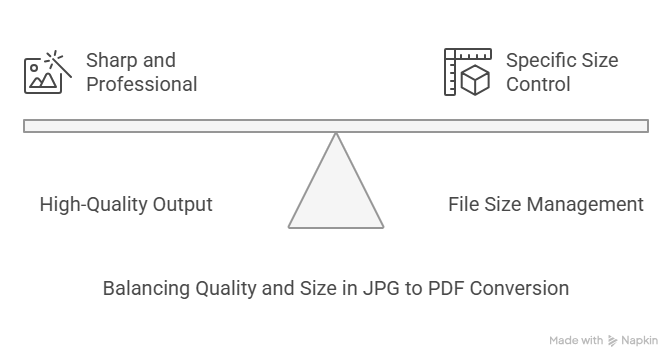
- High-Quality Output: Maintain excellent image quality. The goal is to get a high-quality PDF that looks sharp and professional. Adjustments to image resolution are handled intelligently.
- File Size Management: Need a specific size? Many users search for “jpg to pdf converter 250 kb” or even a “jpg to pdf converter under 100kb” Good tools offer options to control the output file size, whether you need “convert jpg to pdf 200 kb”, “convert jpg to pdf 100 kb” “jpg to pdf converter 300kb”, “jpg to pdf 100kb” “jpg to pdf 300 kb” “jpg to pdf 150 kb” or even compress down towards “pdf to jpg converter 50 kb” levels (though that’s the reverse conversion, the principle of size control applies). Some can even handle larger conversions like “jpg to pdf 1 mb” efficiently. You can often adjust the page size settings too.
- Platform Independence: Use it anywhere! Whether you’re on Windows, macOS, Linux, or even a mobile device like an iPhone (addressing “how to convert jpg to pdf in iphone” – just use the browser!), the tool works seamlessly.
- Handles Various Inputs: While focused on JPG, it understands different image formats and the standard JPG format. It knows how to convert JPG files effectively. The underlying technology often uses standards like Joint Photograph Experts Group specifications.
- Security: Reputable services use TLS encryption for File protection during the upload and download process, safeguarding your data, especially if it includes sensitive informa. Your email address might be needed only if you opt for a free account for extra features, but basic conversion is often registration-free.
- Beyond Basic Conversion: Some advanced tools might offer related functionalities like Convert PDF back to JPG (like “convert pdf to jpg 100kb”, act as a basic PDF Editor allowing you to Rotate PDF page or Crop PDF, handle page numbers, or even perform OCR PDF on image-based PDFs. They might also allow conversion of web pages or content from Excel spreadshe (if saved as an image first)
Common Use Cases
People convert JPG to PDF for many reasons:
- Sharing photos without allowing easy editing.
- Submitting assignments or reports.
- Creating digital portfolios.
- Archiving documents or receipts captured as photos.
- Sharing previews from design tools.
- Integrating with cloud services like Google Drive.
The flexibility of this online conversior covers numerous Use Cases. It handles various file types related to images and document sharing, including helping convert JPG ima into a universally accessible PDF format. Whether you need an online JPG tool or an online PDF conve, this type of service is invaluable.
JPG to PDF Solution
Stop searching and start converting! An online JPG to PDF tool offers a convenient, fast, and often free JPG to PDF solution. It respects image quality, manages file size effectively, and works across all your devices. Give it a try today and experience the simplest way to handle your image-to-document conversion needs. Convert those converted PDF fi les with ease!